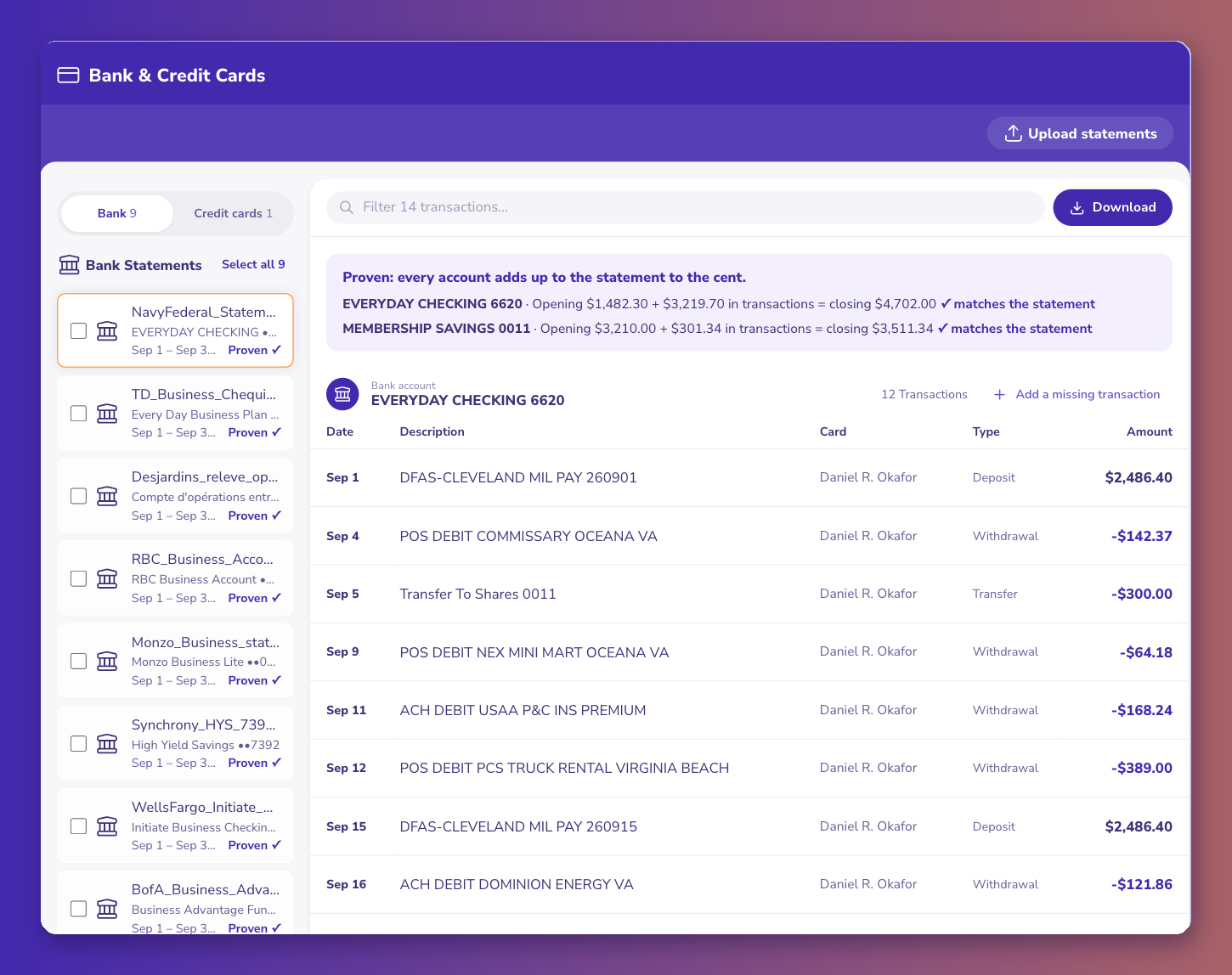
Chime, Bluevine, Mercury, Relay, Novo and Brex all issue monthly PDF statements, but each keeps them in its own menu and posts them on its own day. Some put every account in one PDF, others give each account its own. This dataset lists each one from ZeraBooks' own download guides. For books or a loan file, download the PDF: ZeraBooks proves it against the printed balances, which a CSV export usually doesn't carry.
| Provider | Bank behind it (as stated) | Where statements are | Ready | How far back | One statement per | Other downloads | Watch for |
|---|---|---|---|---|---|---|---|
| Chime | Financial technology company, not a bank; banking services by The Bancorp Bank, N.A. or Stride Bank, N.A. | App: Profile > Documents > Account statements. Web: Log In > Profile > Documents > Account Statements | Checking and Savings monthly; Credit Builder on its billing cycle | Not stated by Chime | One PDF with a section per account (Checking, Savings, Credit Builder, Chime Card); a section can read $0 while another holds money | Not verified | No paper statements; no personal checkbook (Chime Checkbook mails checks for you) |
| Bluevine | Financial technology company, not a bank; banking services by Coastal Community Bank, Member FDIC | Dashboard > Documents & Reports > Banking Statements > account > year > month | By the 5th of the next month | Not stated for PDFs | The main account and each sub-account have their own statement | CSV from Checking > Export: Date, Description, Debit/credit, Balance; 18 months back to yesterday; not in the mobile app | Sweep accounts: the Sweep Program Monthly Statement page shows the prior day's balance, not the account's own |
| Mercury | Not stated in our source | Company name (top left) > Documents & Data > account dropdown > month | First few days of the next month | Not stated | Per account; card statements separate from checking | CSV from the statement row menu and the transactions page | Pick the right account in the dropdown before downloading |
| Relay | Not stated in our source | Accounts > Statements > select months > Export > Download statements | Card statements the day after each billing cycle closes | Checking statements kept online; no number stated | Each Relay account has its own statement | CSV and OFX from the same export | Several Relay accounts means several statements each month |
| Novo | Not stated in our source | Profile menu (top right) > Settings > Statements > month | The 1st of the next month | Back to when the account was opened | Not stated | Transaction CSV export | No statements for part of a month |
| Brex | Not stated in our source | Your name (top left) > Statements and documents > card or business account statements | Business account statements in the first week after the month ends | Past statements kept online; no number stated | Card and business account statements are separate | Statements are PDF only; transaction reports (CSV) are a separate download | Card statements go into a credit card account, business account statements into a bank account |
Yes. Chime and Bluevine both say they are financial technology companies, not banks, and name the bank that provides the accounts: The Bancorp Bank, N.A. or Stride Bank, N.A. for Chime, and Coastal Community Bank for Bluevine. The statement still carries a beginning and an ending balance with every transaction between them, which is what a bookkeeper or lender needs. For Mercury, Relay, Novo and Brex, our guides don't name the bank, so this dataset leaves it blank rather than guess.
Five of the six offer a transaction export, CSV in every case, with OFX as well at Relay; we couldn't verify an export for Chime. An export lists rows for the dates you pick. It usually has no beginning or ending balance, so nothing tells you a row is missing. Bluevine's CSV is the exception with a Balance column, and it only reaches 18 months back. The PDF has both balances, so ZeraBooks can prove the month to the cent. More on the difference in the Bluevine statement to Excel guide.
Both samples are fictional and shown as converted rows, not as the provider's own page layout, which this dataset doesn't claim. Rows are in sample-months.csv.
Relay gives each account its own statement, so this business downloads two PDFs. Operating: 6,420.55 + 3,915.00 − 4,000.00 − 59.99 + 2,604.20 − 1,236.48 = 7,643.28. Payroll: 812.30 + 4,000.00 − 3,742.18 = 1,070.12. The 4,000.00 transfer is on both statements, out of one account and into the other. In the books it is a transfer, not income on the Payroll side.
Chime puts every account in one statement, a section each. Checking: 1,126.40 + 845.00 − 212.64 + 1,190.00 − 950.00 − 48.20 = 1,950.56. Savings: 0.00 at the start, no activity, 0.00 at the end. Chime notes a section can read $0 while money sits in another, which is what happens here. The 950.00 rent went out as a Chime Checkbook check, because Chime has no personal checkbook.
Chime says banking services are provided by The Bancorp Bank, N.A. or Stride Bank, N.A., Members FDIC. Chime itself is a financial technology company, not a bank.
Each section reports only its own account. Chime says one section can show $0 while money sits in another. Each account is proven on its own.
Bluevine makes statements available by the 5th of the following month. Until then, the CSV export covers the month up to yesterday, but there is no statement yet to prove it against.
No. Novo issues full monthly statements only, ready on the 1st of the next month, going back to when the account was opened.
No. They are separate statements under Statements and documents. A card statement is proven as a card, and a business account statement as a bank account.
No. ZeraBooks has no bank feeds and never asks for your sign-in. You download the PDF statements and upload them, and ZeraBooks proves each account against its printed balances. Pricing is $79 a month billed annually or $149 monthly for 1,000 pages a month, with a 7-day trial.